Turn a wide  YouTube shot into a vertical clip
Make Shorts, Reels and TikToks from horizontal videos. Pick the moment, drag the 9:16 frame onto the action, and download an HD MP4.
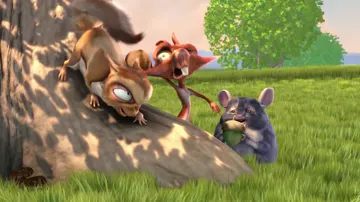
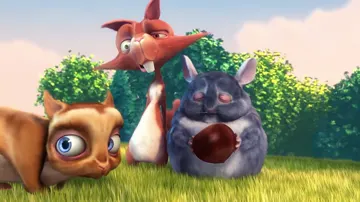
From wide video to vertical clip
The 9:16 frame is already in place when the video opens. You only decide what stays in shot.
Paste the link
Paste the address of the YouTube video in the bar above and press Get video.
Choose the moment
Drag the orange handles under the player to the start and end of the moment. Preview plays just that part.
Frame the shot
Drag the box onto the speaker or the action. The darkened area is cut away.
Want to keep the whole picture? Choose 9:16 Fit and it sits on a blurred copy of itself.
Press Create clip, then upload the MP4 to Shorts, Reels or TikTok.
Sharper vertical clips
Three things that make the most difference.
- Quality
- A 9:16 crop keeps about a third of a wide picture. Choose 1440p or 4K when the video has it, so the result is still sharp on phones.
- Framing
- Preview the clip with the frame on. If the person moves out of the box, pick a shorter moment or a wider shape such as 4:5.
- Length
- Each platform has its own maximum length for short videos. Check the current limit before you upload.
Other shapes from the same shot
The same tool makes feed and square clips too. Pick a shape after the video loads.

Vertical clip questions
Something else? Ask us.
How do I turn a YouTube video into a Short?
Paste the video link above, set the start and end of the moment you want, drag the 9:16 frame over the part of the picture to keep, and press Create clip. Then upload the MP4 to YouTube as a Short.
What size is a 9:16 vertical video?
The standard is 1080 × 1920 pixels. Cropping a 1080p wide video gives about 606 × 1080, which looks fine on most phones. For full 1080 × 1920 sharpness, start from a 4K video.
Does it work for Instagram Reels and TikTok too?
Yes. Reels, TikTok and Shorts all use the same 9:16 vertical shape, so one clip works for all three.
Can I keep the whole picture instead of cutting the sides off?
Yes. Choose 9:16 Fit under Crop. The whole wide picture sits in the middle of a 9:16 frame, with a blurred copy of the video filling the top and bottom.
Can I move the frame during the clip?
Not yet. The frame stays in one place for the whole clip, so pick a moment where the subject stays in the box, use 9:16 Fit, or make several shorter clips.
Is there a watermark?
No. Your clip is exactly the part of the video you selected, with no logo added.
Make your first vertical clip
Paste a YouTube link at the top and frame it for Shorts, Reels or TikTok.